
Learn how to register or request an exemption for CalSavers in just a few minutes.
Ready to get started?
Register or Request ExemptionNeed a more detailed walk-through?
Toggle Detailed Instructions
Enter your EIN/TIN and Access Code
Go to the registration page and enter your EIN/TIN and your CalSavers Access Code.
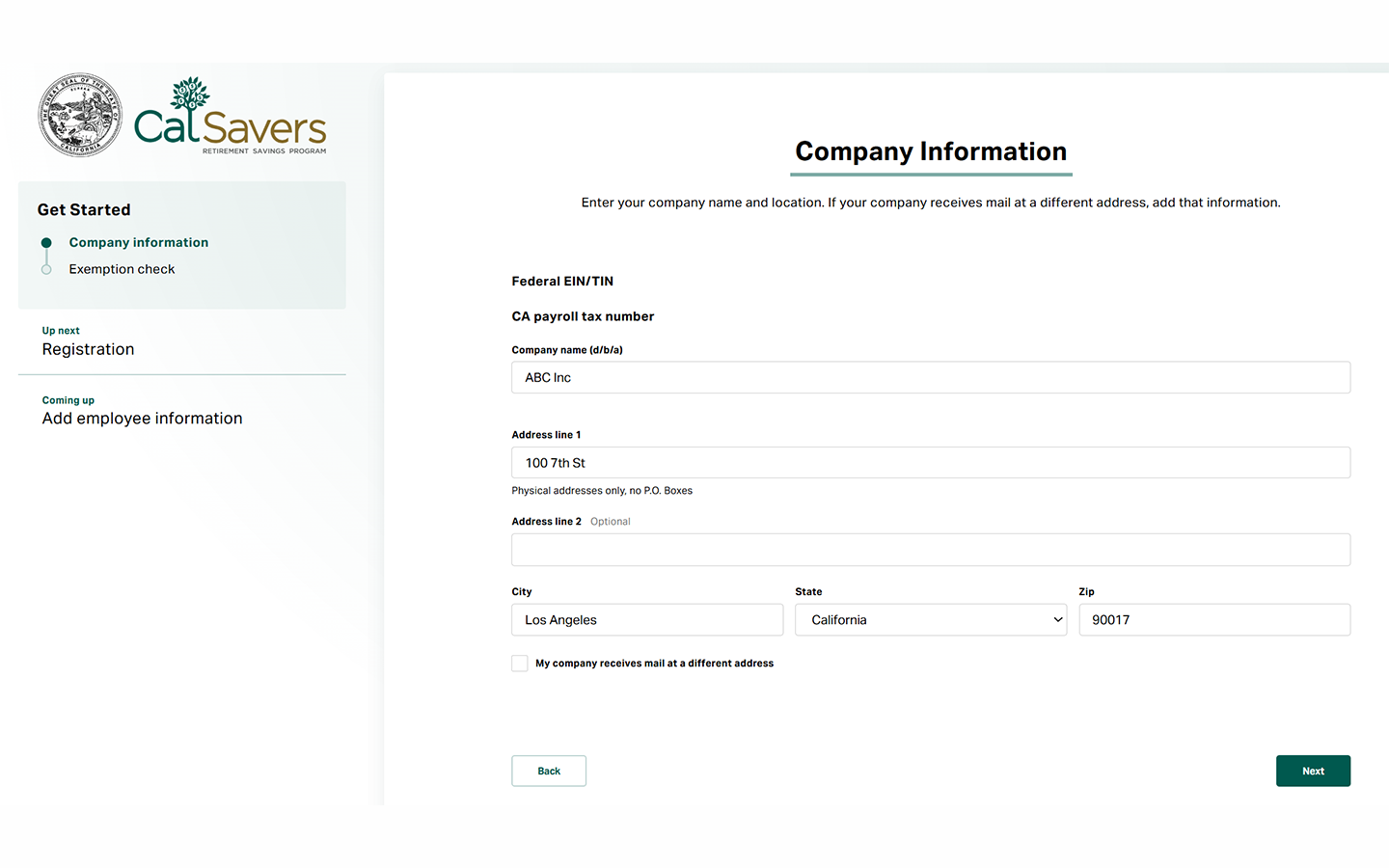
Enter business information
Enter your business's name and address, then click Next.
Complete exemption check
Choose your business type to determine whether your business qualifies for an exemption.
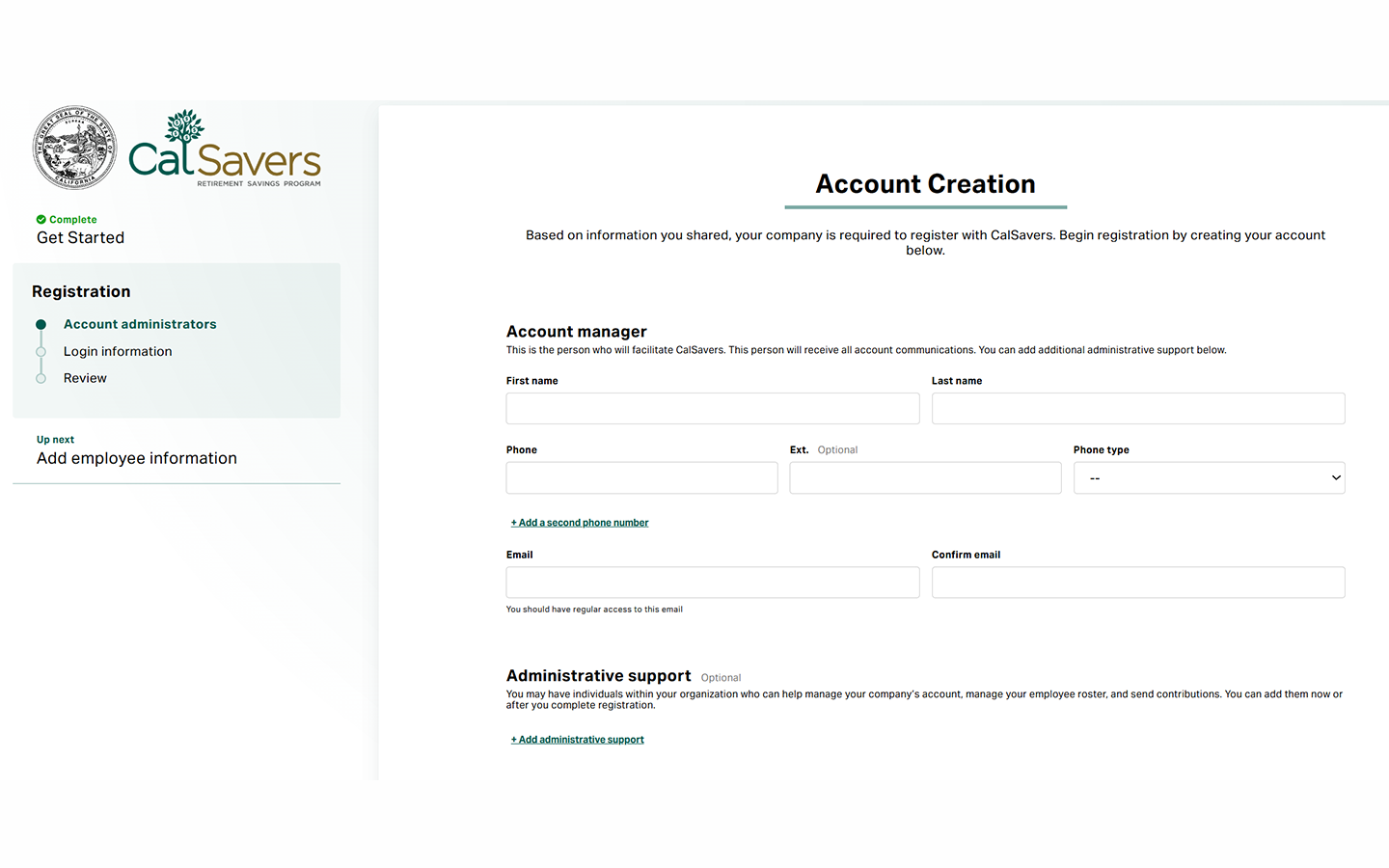
Add administrators and set login
Provide contact info for your Account Manager and choose a username, password, and security questions.
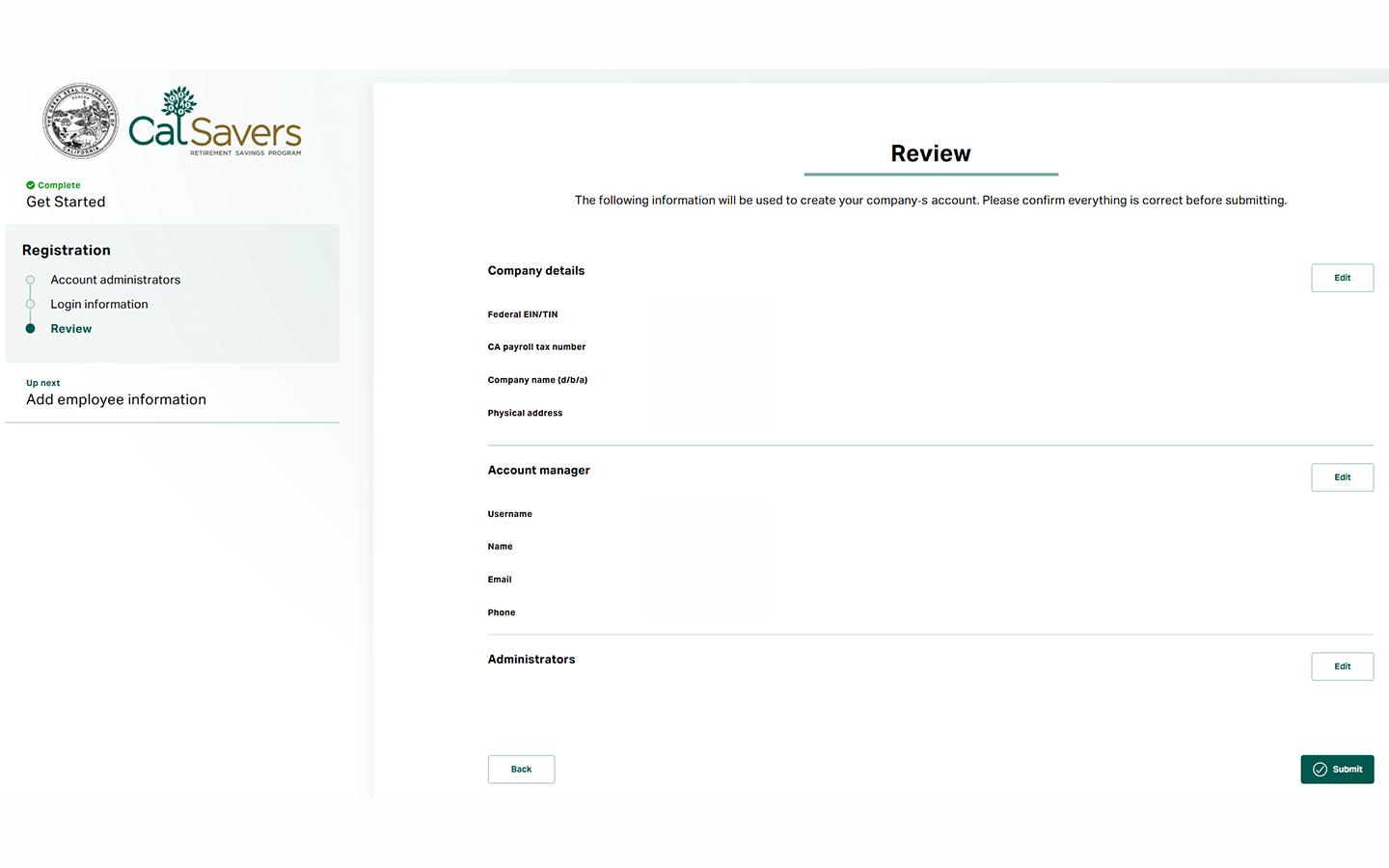
Review and submit
Review your information, then click Submit to complete your registration. A confirmation email will follow with next steps.
Need a more detailed walk-through?
Toggle Detailed Instructions
Go to the registration or request exemption page where you will enter your Federal Employer Identification Number or Tax Identification Number (EIN/TIN) and your CalSavers Access Code. Request an Access Code if you do not have one.
Get Started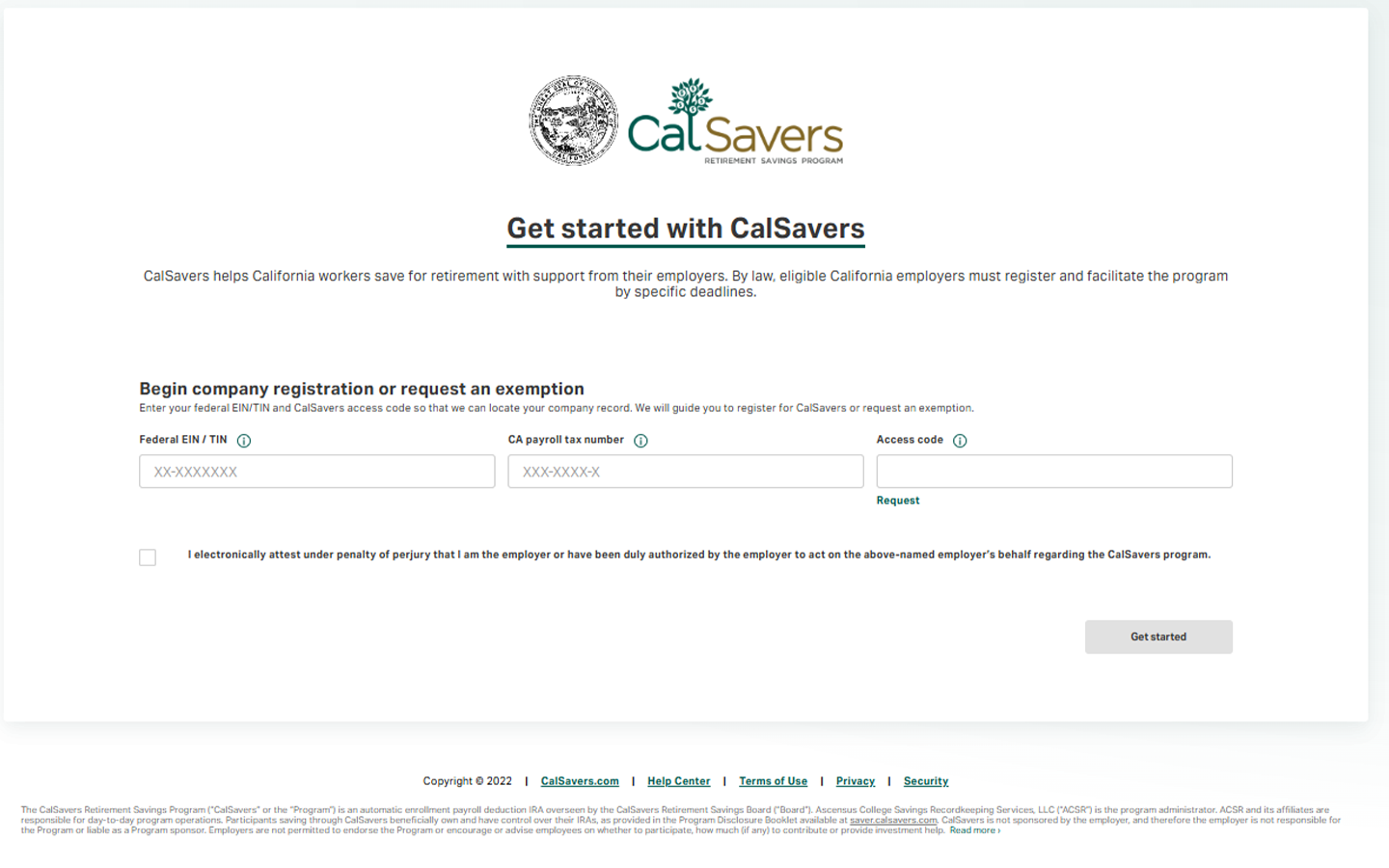
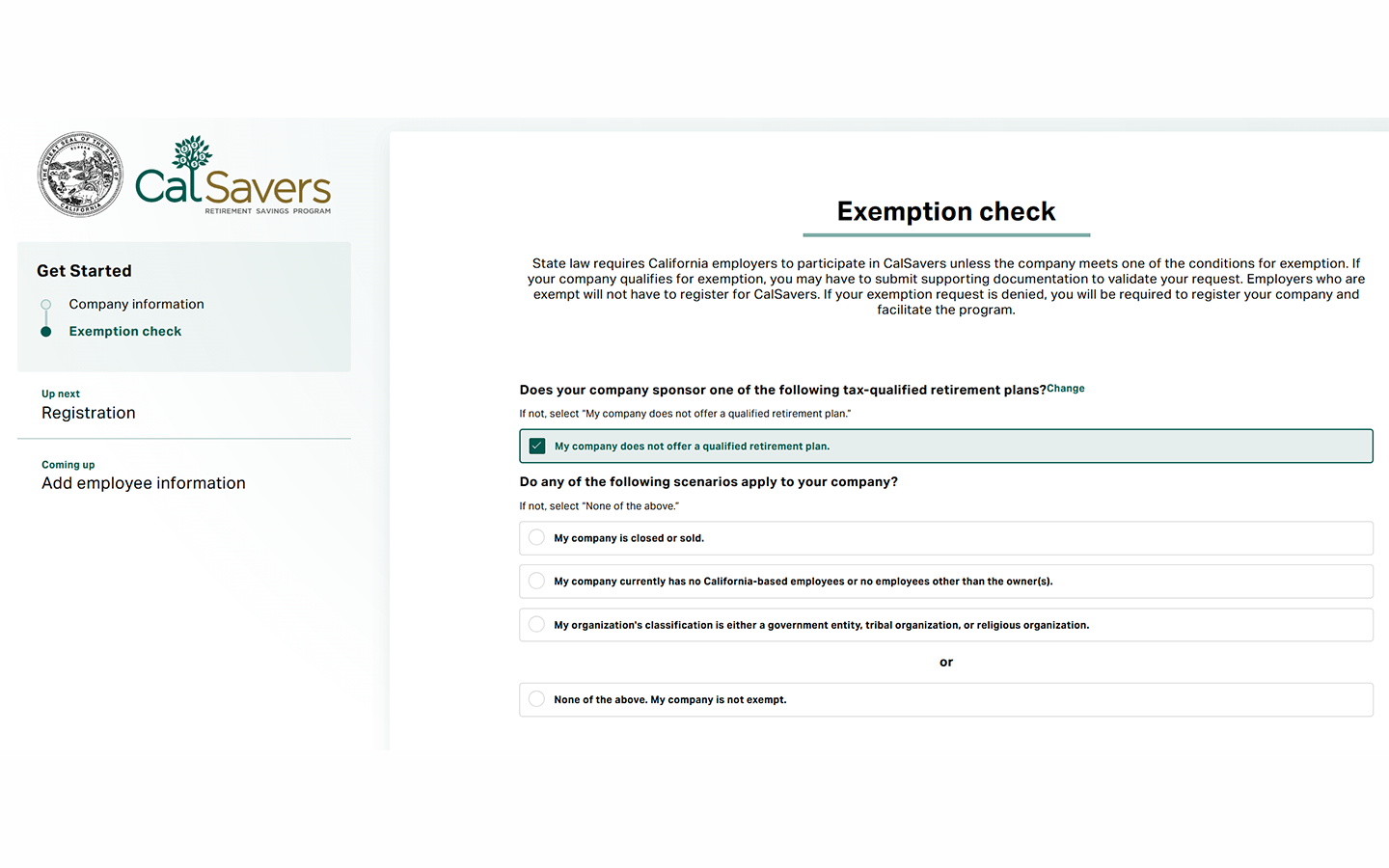
Determine whether your business is exempt from the mandate by choosing your business type. If you don't see your exemption reason listed, you can request an exemption by emailing calsavers@treasurer.ca.gov.
If your business is not exempt, you'll continue through steps 4 and 5 of the registration process.
What to do after registration:
Within 30 days of registering, you must complete your account setup and upload your employee roster. CalSavers will then notify your employees and begin their 30-day decision period.
Need a more detailed walk-through?
Toggle Detailed Instructions
Enter your EIN/TIN and Access Code
Go to the registration page and enter your business tax ID and Access Code
Get StartedEnter business information
Fill out business details in the form and choose your business type in the exemption check
Select exemption reason
Choose the reason that applies to your business from the list of qualifying exemptions
Review and submit document proof
Double-check details, submit, and follow the online instructions.
Need a more detailed walk-through?
Toggle Detailed Instructions
Go to the registration or request exemption page where you will enter your Federal Employer Identification Number or Tax Identification Number (EIN/TIN) and your CalSavers Access Code. Request an Access Code if you do not have one.
Get Started
Choose the reason that applies to your business from the list of qualifying exemptions. If you don't see your exemption reason listed, you can request an exemption by emailing calsavers@treasurer.ca.gov.
Review your information to make sure everything is correct, then click Submit to continue to instructions to submit any supporting documentation based on your exemption selection.
If required, provide proof of existing retirement plan or other supporting documents. You'll receive a confirmation email with your exemption status.
Newly mandated employers must register for CalSavers or claim a program exemption by December 31 of the year they receive their mandate notice.
State law requires employers that do not sponsor their own qualified retirement plan to facilitate CalSavers. An eligible employer is a business that averaged at least one California-based employee age 18 or older during the previous calendar year and is not a government entity, religious organization, or tribal organization.
Qualified retirement plans include:
Yes. Under Government Code Section 100033(b), an eligible employer that fails without good cause to allow employee participation is subject to a penalty of $250 per eligible employee if the noncompliance extends 90 days or more after notice, and an additional penalty of $500 per eligible employee if the noncompliance extends 180 days or more.
No. State law provides that employers have no liability for an employee's decision to participate, for their investment choices, or for investment performance. Under Section 100034, employers are not fiduciaries of the program and are not responsible for plan administration beyond registering, remitting payroll deductions, and maintaining employee rosters.
No. Religious organizations, tribal organizations, and government entities are exempt from the state law establishing CalSavers.
Non-profit employers are subject to the same eligibility requirements as for-profit employers. Volunteers are not considered employees and do not count toward an employer's total employee count.
Get answers to questions about CalSavers, from registration to administration.
Start a Chat
For more information about running CalSavers visit our FAQ page.
Visit FAQs