

CalSavers for Employers

CalSavers is California’s retirement savings program for private-sector workers who do not have access to a workplace retirement plan. The following resources will guide you through program requirements and ongoing account administration.

Registering your company

The State of California will contact you if your company needs to take action with CalSavers. The deadline to register or request an exemption is December 31 of the current year.

Getting Started

  • Step 1:

    Register or request an exemption

    To get started, you will need the following information:

    1. Employer Identification Number or Tax Identification Number (EIN/TIN).
    2. California Employer Payroll Tax Account Number (from EDD).
    3. CalSavers Access Code.
    Register or Request Exemption

    Learn more about eligibility and exemption.


  • Step 2:

    Add employee information

    You will have 30 days to add employees who meet the following criteria to the employer portal:

    • Receives California W-2.
    • 18 years or older.
    • Social Security Number or an Individual Taxpayer Identification Number (ITIN).
    • Employed for at least 30 days, no minimum hours required.

    Learn more about adding employee information.

    Employer Resources:

    Learn how Payroll Integration can automate this step.


    Employee Resources:

    Read more on waiting for employee enrollment.

  • Step 3:

    Sending contributions

    Once the 30-day decision period has ended, log in to your employer portal to begin submitting contributions.

    If your payroll is connected:

    Follow the steps provided on the Payroll Integration page.

    If you are administering CalSavers directly:

    1. Identify participating employees and their contribution percentage. Learn more about setting up employee deductions.
    2. Calculate contributions for each participating employee.
    3. Submit contributions through the employer portal. Learn more about setting up contributions.
  • Ongoing:

    Maintaining your payroll

    On an ongoing basis, you are required to keep your account up to date by:

    • Processing payroll contributions for all participating employees.
    • Adding new employees within 30 days of their hire date.
    • Marking employees as inactive when they leave or are terminated.
    Log in to your account

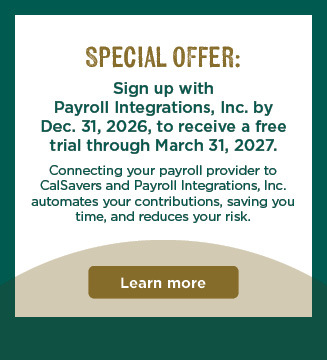
Save time by automating your payroll

If you work with a payroll provider, you may be able to set up payroll integration for a more hands-off way to manage CalSavers. Learn More

  • Automated Payroll Deductions

    Contributions are processed automatically through payroll.

  • Less Manual Work

    No spreadsheets, uploads, or repeated updates.

  • Scales with Your Business

    Employee changes sync automatically without extra effort.

Payroll provider integration options Captions Transcript

Need additional support?

We're here to help every step of the way. Employers have access to chat support, employer resources, video tutorials, and our experienced Client Services team to answer questions about the program. We also offer live instructional webinars to guide employers through the registration process, as well as educational webinars for employees to learn about CalSavers.

  • CalSavvy Chat Support

    Get answers to questions about CalSavers, from registration to administration.

  • Virtual or In-Person Meetings with a Representative

    Set up a virtual meeting in various languages or a one-on-one with a local representative. Get Started

  • Program Resources for Employers

    Explore guides and resources to help you successfully administer CalSavers.

Employer support

Program Resources

Employer guide to running CalSavers.

Video Resources:

Printable Resources:

Employer Overview

This printable reference outlines the program, benefits for employees, and registration timelines.

Program Disclosure Booklet

The Program Disclosure Booklet describes the Program, including important information about the investments, fees, risks and features associated with the Program.

Saver Overview Brochure

This brochure provides an overview about the program and the standard saving choices.

Employee Information Packet

The Employee Information Packet (EIP) summarizes program information for participants.

Communication to Your Employees

Use this template communication to inform your employees that your company is running CalSavers.

Designed with you in mind

Employers play an important role in helping workers save for retirement. While CalSavers was created to support employees, it is also designed to be as easy as possible for all employers.

Easy facilitation

Employers serve a limited role: run the program by adding and maintaining their employee roster and submitting contributions via simple payroll deduction.

No employer fees

There are no employer fees and employers do not make contributions to employee accounts.

Ongoing support

You have access to templates, resources, and one-on-one support to help you manage your role so that you can focus on running your business.


THE CALSAVERS RETIREMENT SAVINGS TRUST ACT

CalSavers was established in state law to address the growing retirement savings gap that will occur for many residents in the future.